


Latest Mini Computer Desktop OEM Pc Mini Desktop Intel Celeron J4125 BVS Original Factory Win10 Linux Business Mini Pcs
Regular price £141.98SPECIFICATIONS
After-sales Service: Call Center and on-line Technical Support
Hard Drive Type: SSD
Warranty(Year): 1-Year
brand name: BVS
graphics card chipset: Integrated Card
hdd rotation speed: SSD
model number: GW-A07
mouse & keyboard: No
operating system: Win-10win-7 LINUX system
place of origin: Guangdong, China
private mold: No
processor type: Intel Celeron J4125
products status: New
ram type: DDR3
use: Industrial
video card: no
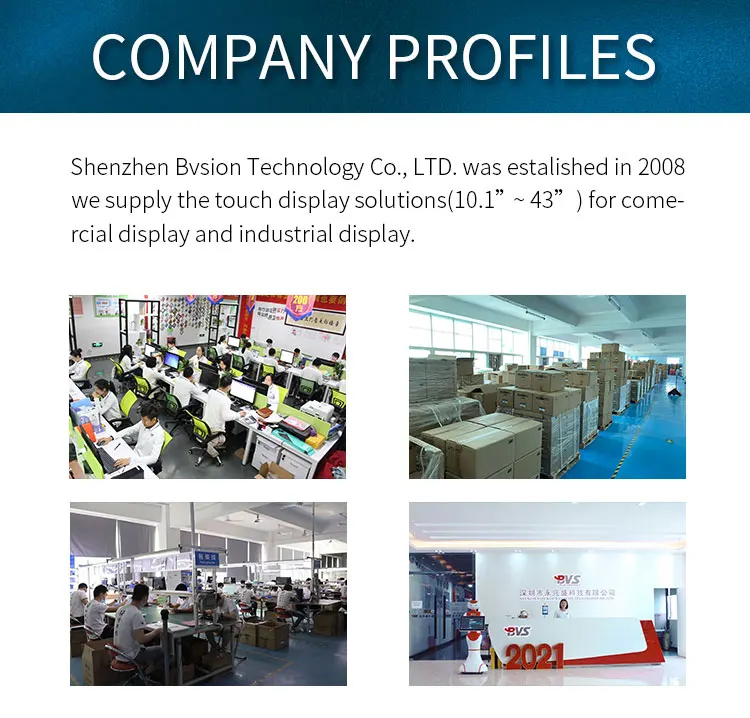
Shenzhen BVSION Technology Co., Ltd. was founded in Shenzhen, China in 2008.In the past 18 years, it has been devoted to the field of small and medium-sized ( 10.1"-43") industrial and commercial intelligent LCD display.The main products industrial panel PC, android tablet PC, POS system, mini PC and LCD monitors.
| Model number | GW-A | ||||||||
| Dimension | 136*126.2*39mm | ||||||||
| Case Material | Alumunum alloy | ||||||||
| Weight | 0.63KG | ||||||||
| CPU | Intel celeron J4125 | ||||||||
| RAM | 4GB Optional | ||||||||
| SSD | 128GB | ||||||||
| Display | 1920*1080 ,Support VGA+HDMI dual port | ||||||||
| System | WIN7/WIN10 trial version /LINUX system optional | ||||||||
| Etherent | Dual Lan | ||||||||
| Wi-fi | 802.11b/g/n | ||||||||
| I/O | 1*power switch,1*HD1, 1*VGA , 2*RS232 4*USB3.0, 2* USB2.0 | ||||||||
| Power | DC 12V power input | ||||||||
| Installation Method | Support embedded /wall mount /desktop | ||||||||
| Temperature |
Working temperature -10~ 60°C; storage :-20 ~ 70°C |
||||||||



Q: How do I connect my phone to my mini computer?
A:To connect a BVS mini PC to a computer or mobile device, you can use a variety of methods depending on your preferences and the available ports on your device. Some common options include:
HDMI cable: Connect the mini PC to a monitor or TV using an HDMI cable to display the mini PC's interface.
USB cable: Use a USB cable to connect the mini PC to your computer and transfer files between the two devices.
Wi-Fi: Connect the mini PC to your Wi-Fi network to access the internet and transfer files wirelessly.
Bluetooth: Pair the mini PC with your Bluetooth-enabled device to transfer files and use wireless peripherals.
Overall, the BVS mini PC offers a range of connectivity options to suit your needs and make it easy to use with your other devices.
Q: What is the lightest mini PC?
A:Our BVS mini PC is not only powerful, but it's also incredibly lightweight and portable. You can easily take it with you wherever you go, whether it's for work or play. With its compact size, you'll never have to worry about lugging around a bulky desktop computer again. Plus, its sleek design will make you the envy of all your tech-savvy friends!
Q: How long do mini PCs last?
A: When it comes to the lifespan of BVS Mini PCs, you'll be pleasantly surprised to know that they're built to last. With durable components and high-quality materials, BVS Mini PCs are designed to provide reliable performance for years to come. In fact, you can expect a lifespan of 5-7 years with proper use and maintenance.
That means you'll have plenty of time to enjoy the benefits of your BVS Mini PC, whether you're using it for work or play. Plus, with the added convenience of a compact form factor and low power consumption, you can feel good about reducing your environmental impact while getting the most out of your technology investment.
Q:Is 128 GB ROM overkill?
A: When it comes to memory, bigger is often better. But is 128GB of memory too much for a mini PC like BVS?
Not at all! BVS mini PC is designed to handle demanding tasks, such as video editing and gaming, which require plenty of memory. With 128GB ROM, you'll have more than enough space to run multiple programs at once and store large files.
So, whether you're a creative professional or a power user, BVS mini PC with 128GB of memory is the perfect choice for your computing needs!
Q: Can you install software on a mini PC?
A:Sure! BVS mini PCs run on Windows and Linux operating systems, which means that you can install a wide range of software applications to suit your needs. From productivity tools like Microsoft Office and Adobe Creative Suite to multimedia software like VLC player and Spotify, the possibilities are endless. Just make sure to check the system requirements of the software you want to install and ensure that it is compatible with the hardware configuration of your BVS mini PC.